Internal tools
Internal Tools Design
Admin panels, operations consoles and back-office screens, where the return is measured in staff hours.
Five-star reviews from clients on Upwork
Internal tools
Admin panels, operations consoles and back-office screens, where the return is measured in staff hours.
Five-star reviews from clients on Upwork
Why it pays
A screen which twenty staff use for two hours a day adds up to about ten thousand hours a year, so when eight seconds come off a task which is done a hundred times a day, the design work pays for itself within months, and I think very little customer-facing design has that maths.
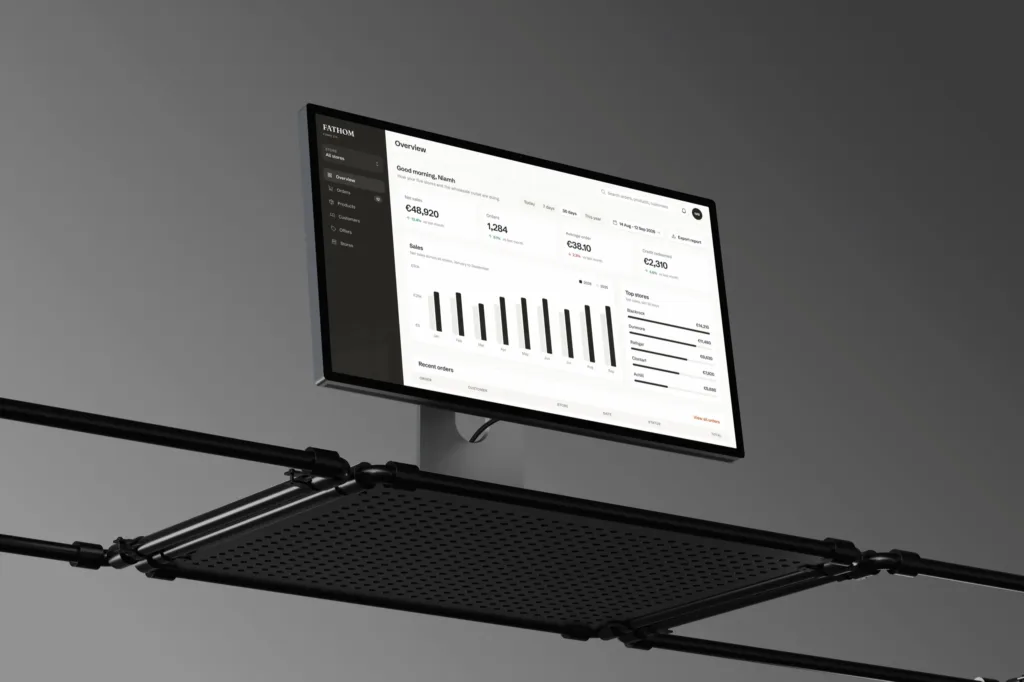
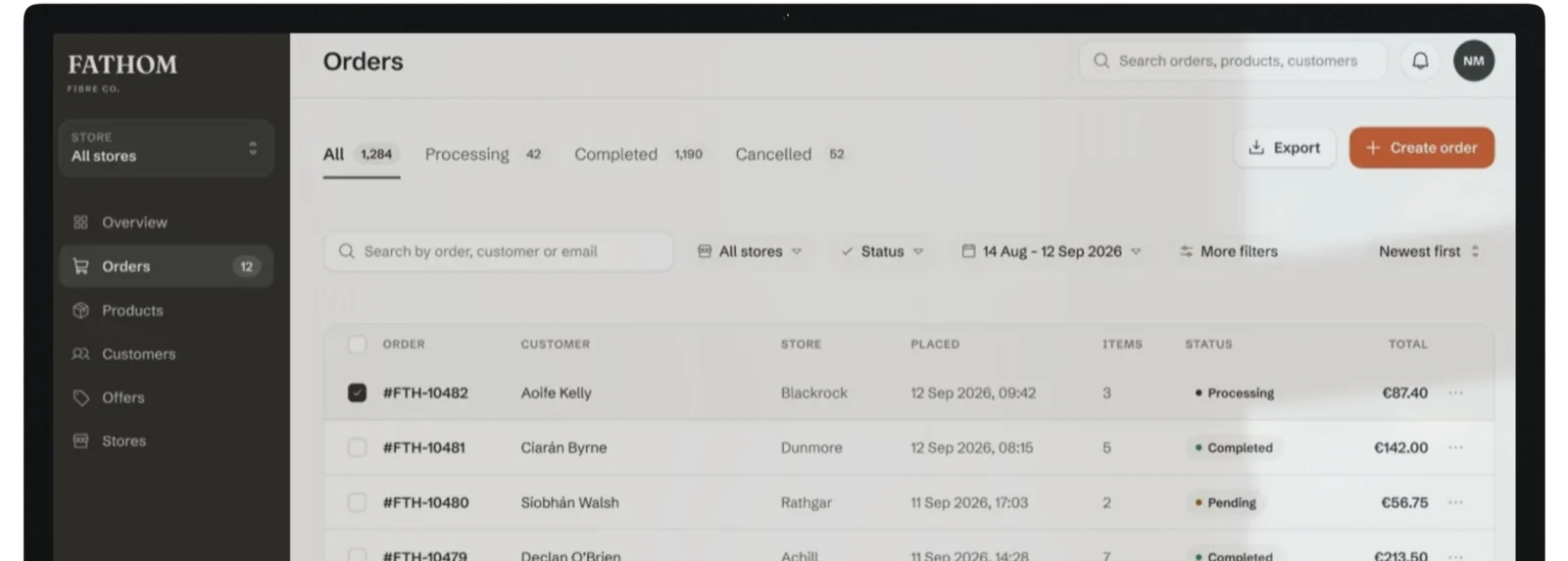
The screens where the day’s real work happens, and where most of the hours go.
Screens optimised for people who use them without looking at them.
The queues where work mostly stalls quietly, sometimes for days at a time.
Reporting for your own staff, which I cover in more depth on dashboard design.
When four systems and a spreadsheet should really be two, I design the two which replace them.
Internal mistakes ship the wrong order or invoice the wrong amount, and preventing them is the second half of the business case.
The shift
Six instincts from consumer work
which have to be unlearned here.
Six shifts / staff as users
Shift / 01
Protect the keyboard paths, because experienced staff skip the labels and follow a memorised route through the form, and I think preserving it is worth more than any visual improvement.
Shift / 02
Treat the spreadsheets as requirements, because every parallel spreadsheet is a specification for a missing feature, written by the person who needed it.
Shift / 03
Design the exceptions up front, because internal work is mostly exceptions, and a tool which handles only the clean path pushes the rest into email.
Shift / 04
Let the screen be dense, because a consumer interface has room to breathe, but a tool which is used all day should show forty rows at a time and let the user choose.
Shift / 05
Choose speed over polish, because every animation costs someone a fraction of a second, a hundred times a day.
Shift / 06
Offer undo over confirm, because staff click through confirmation dialogs on reflex, and an undo after the action protects them while every task keeps its speed.
The premise
Internal tools mostly receive the worst design because the users can't leave, and that sounds like a reason to spend less, but I think it's the reason the cost stays invisible, because it shows up as slower work, more errors, longer onboarding and a shadow layer of spreadsheets.
So designing for a captive audience means optimising for the hundredth use of every screen.
What it costs
I quote from the workflows and roles which the tool has to serve, and one workflow mostly takes 3 to 5 weeks. Because the return is measured in staff hours, I think this is usually the easiest design work to build a business case for.
Common questions
One workflow takes three to five weeks, from discovery to a spec which engineers can build from, and a full system takes longer and should ship one workflow at a time, because switching everything over at once on software which people depend on causes a productivity cliff in week one.
I would buy when the process is genuinely standard and you're willing to change yours to match it, and build when the process is the business, which in operations it mostly is. The expensive middle is buying something standard and then paying every year to bend it into the shape of a process which you were never going to change.
Yes, and the design work is the same, because the platform gives you components and speed, while the decisions about which screens carry the day, what belongs on them and how the exceptions are handled stay with the design, and I think those are what make a tool feel fast.
I think people stop complaining about tools which they can't change, so the better signals are how long new staff take to become productive, how much of the process happens in spreadsheets beside the software and how often someone says they have a trick for it.
Yes, by replacing one workflow at a time and keeping a route back to the old screen for the first weeks, because switching an internal tool over all at once causes a productivity cliff in week one. The longer version is in rebuilding a legacy portal.
Often, because "we are replacing it" is a two-year sentence in most companies, so a short piece of work on the two screens which carry the day buys back real hours while the replacement is decided.
I would measure the time on the two or three tasks which dominate the day, before and after, and multiply it by headcount and frequency, because that number is usually more persuasive than the design itself.
The thinking behind it
Client reviews

Mike is an absolute star. A great communicator who takes initiative, and has the skills to complete the job well each and every time. He is a fantastic partner in all-things design and development, is a pleasure and easy to communicate with.

Gwyn P. Founder, Sail Digital
Mike was one of the easiest consultants we have worked with. Good attitude, willing to take on feedback, good designs and willing to please. Will have no hesitation to hire!

Fiona M. Director, CArio
Mike not only gave us an amazing new website but also gave us time back to focus on growing our SaaS company and the confidence to know that we can leverage their skills again in the future. I unreservedly recommend!

Andrew Former director, shibumi
Mike helped us design and develop our new website in Webflow. He is very responsive to changes and iterations, and helped find faster ways to implement what we wanted.

Julien R. Founder, Hire Donna
Find out how many hours a better tool would give back to your team.
Tell me what the tool does, how many people use it and for how long each day, and that's usually enough to put a number on what the redesign is worth before you spend anything on it.
Send me an email
To Mike Lopez <mike@mikeui.co>
I use these details to reply to you and keep them for 12 months after our last message. Privacy notice