Throughline
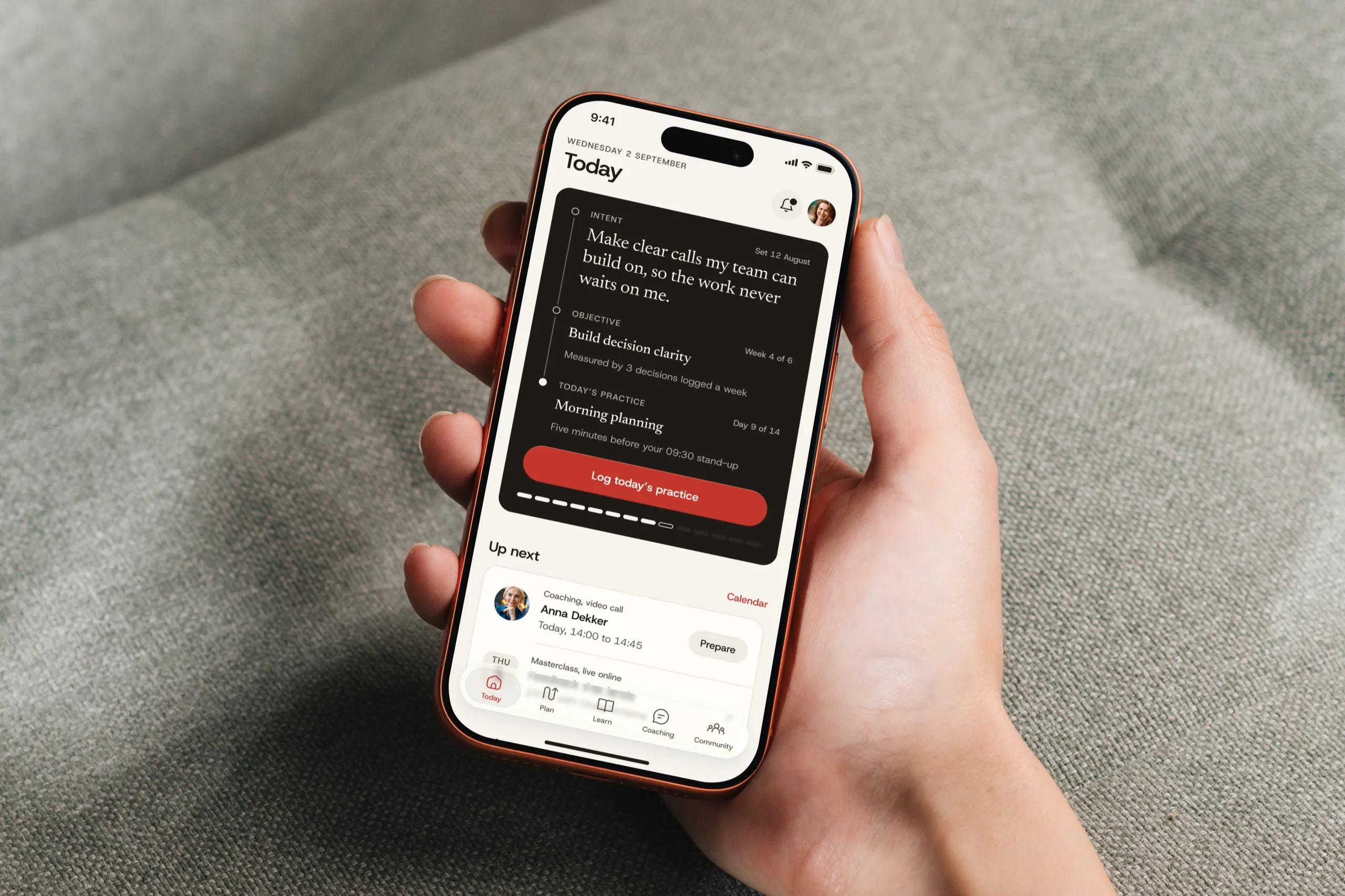
Turn a leadership intent into five minutes of practice a day.
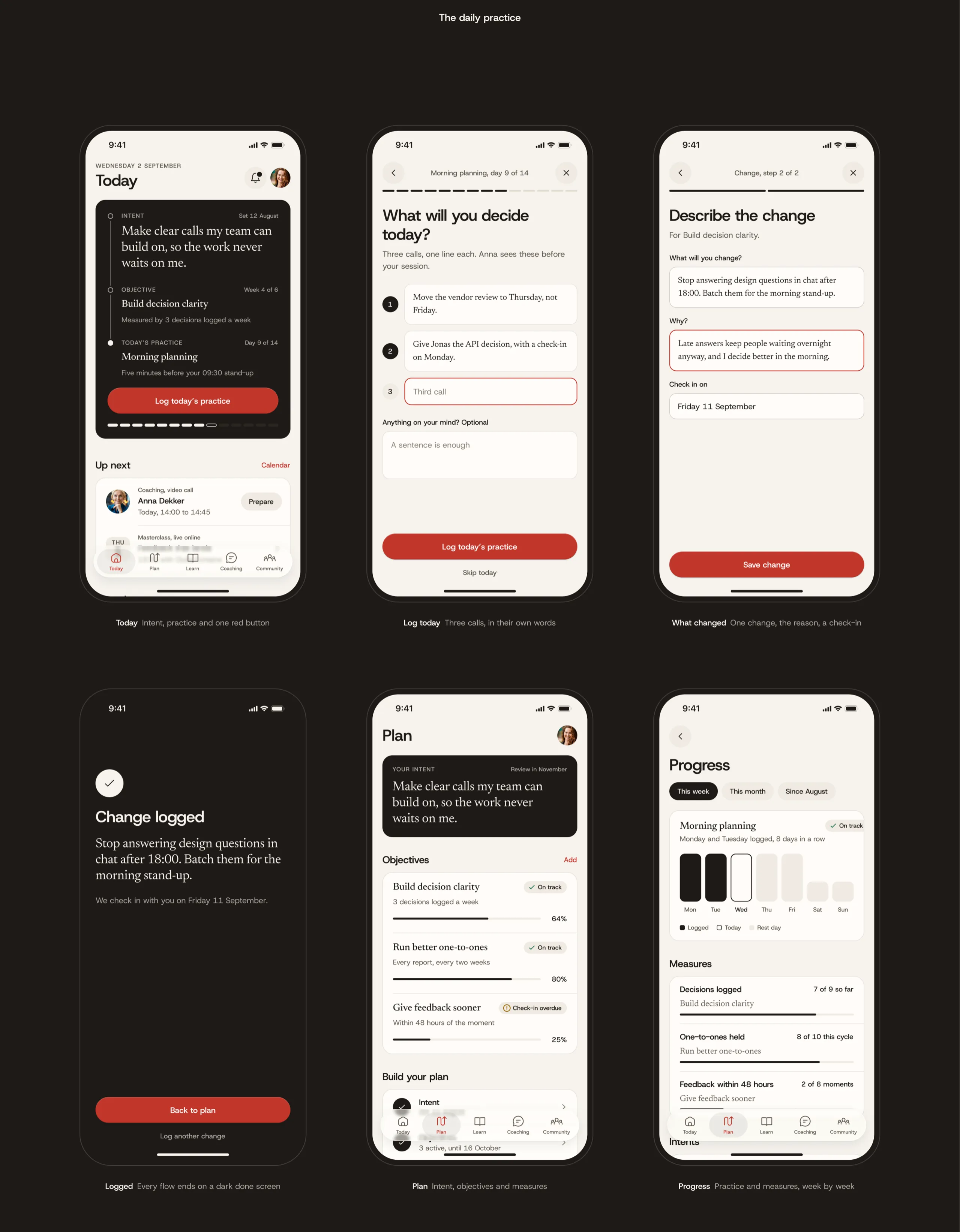
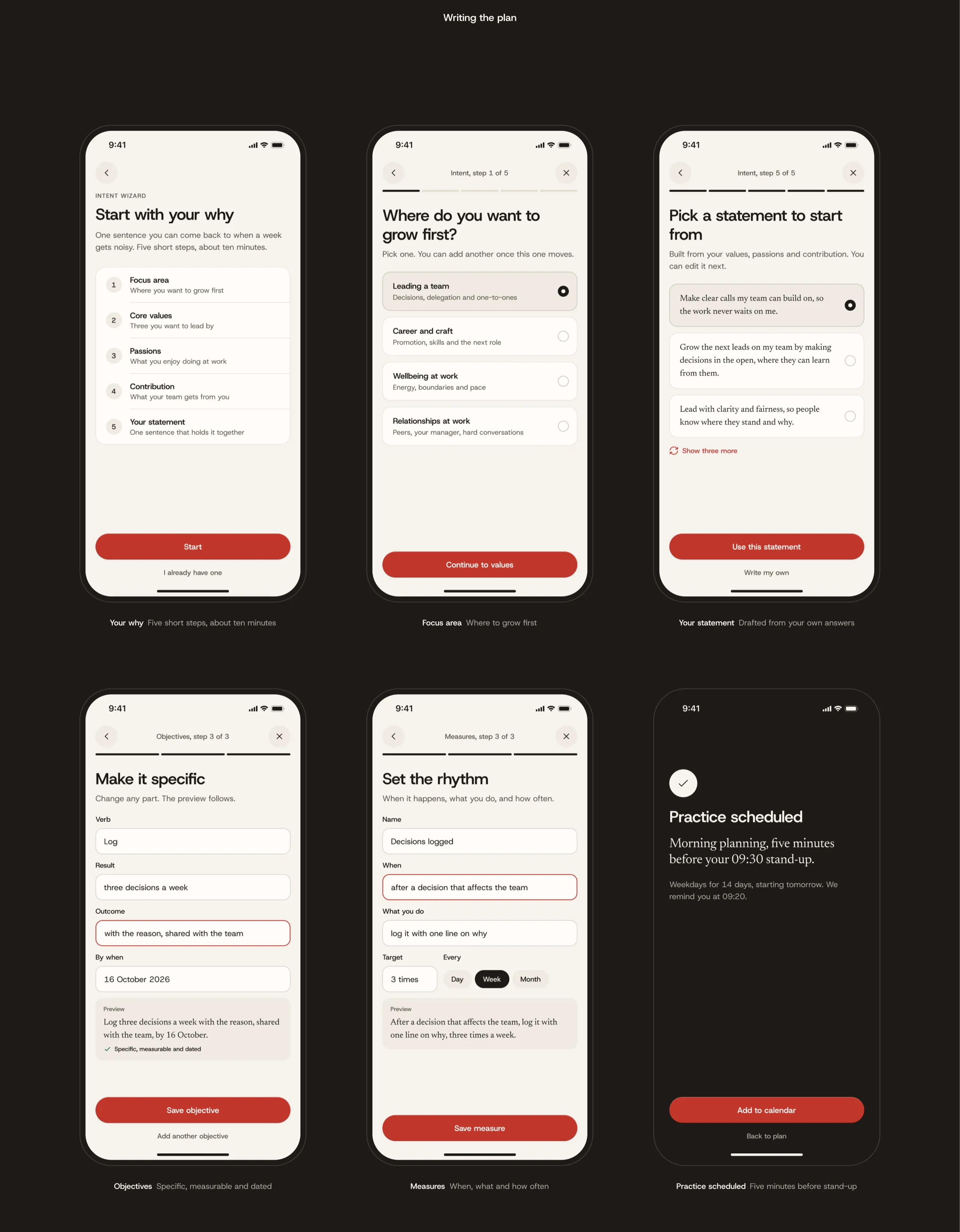
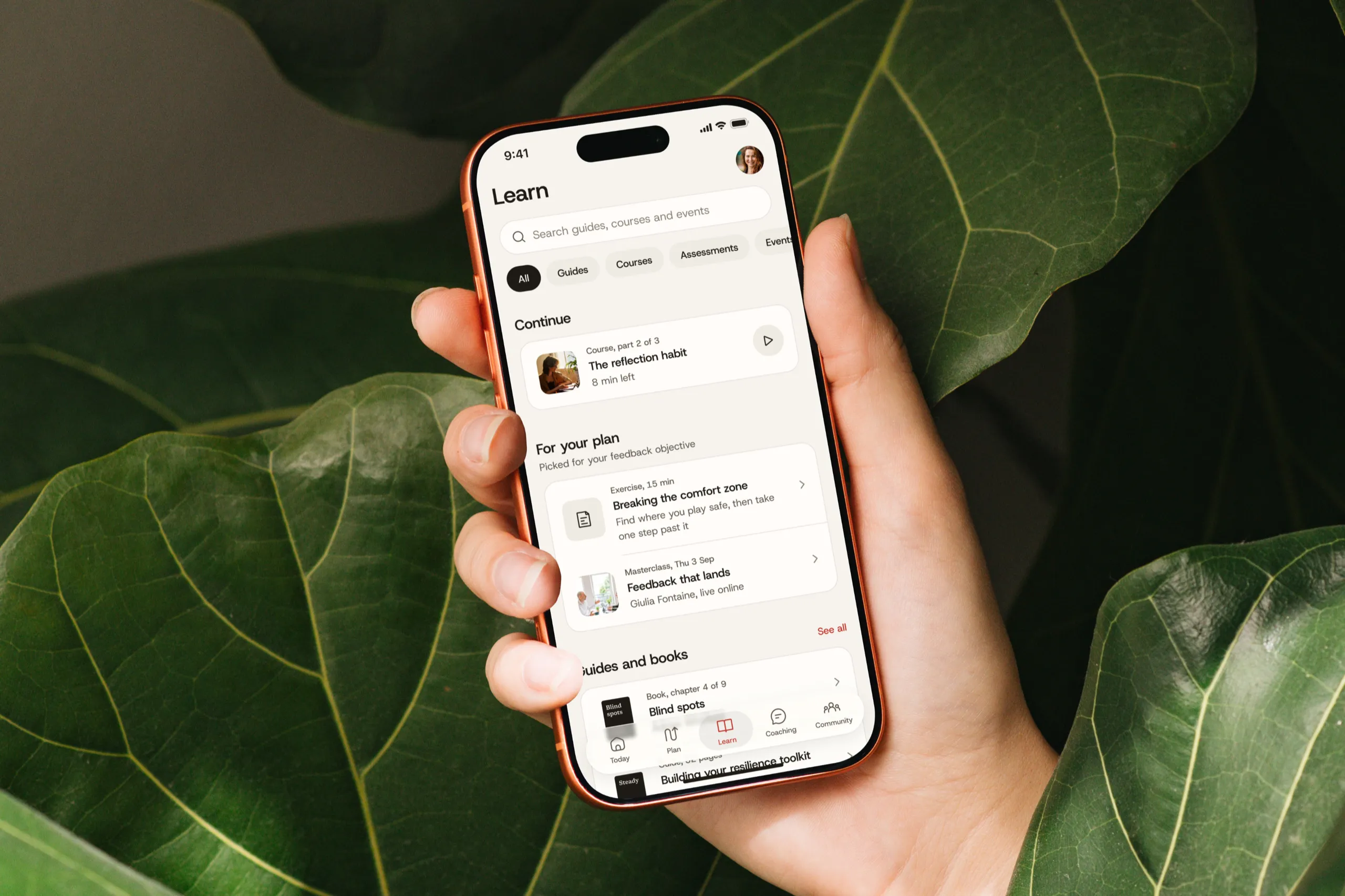
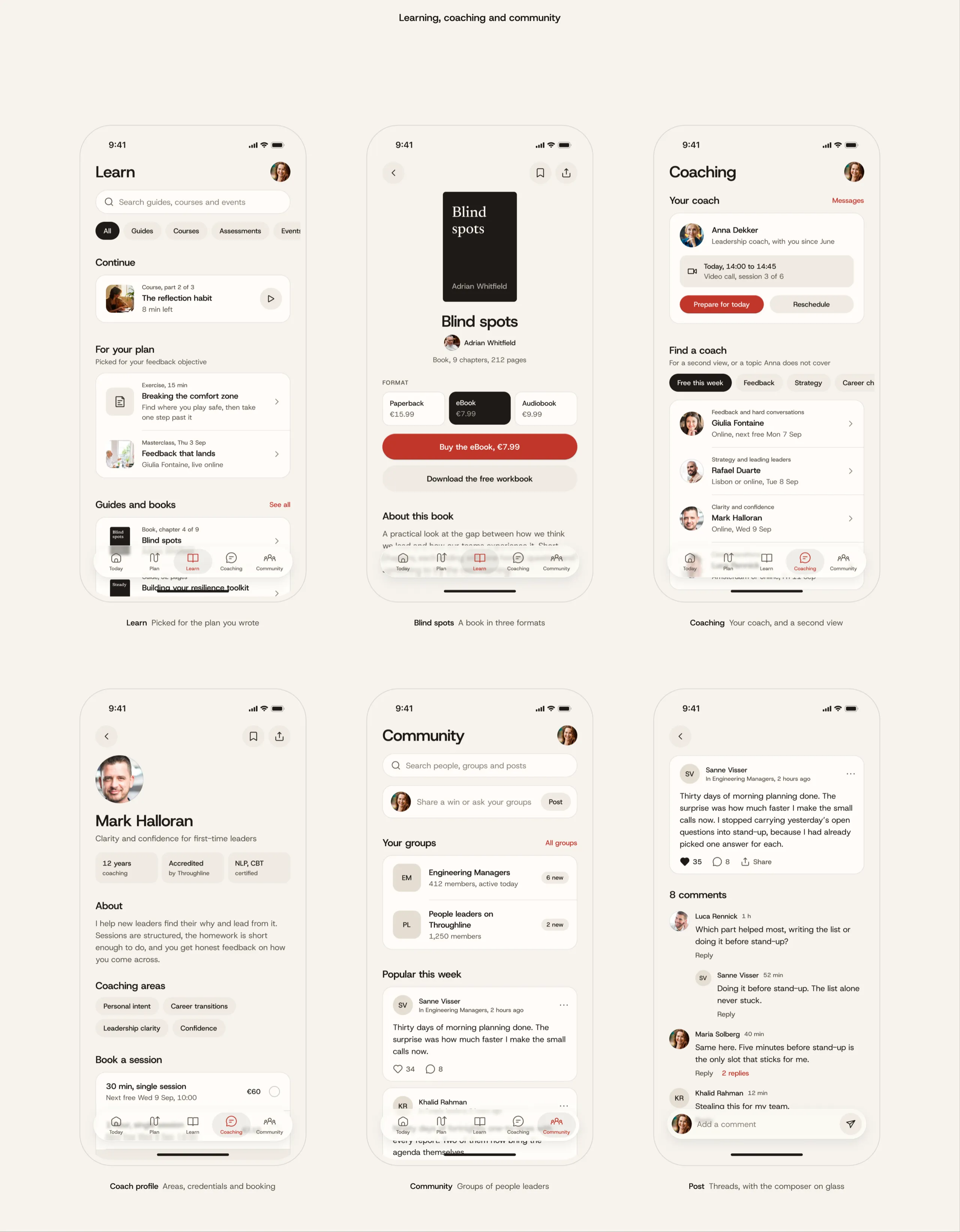
Throughline is a leadership development app for managers, and I redesigned it end to end, from a new mark and brand to a token-based component library and all 64 screens of the member app. Every flow now leads back to one daily habit, which is to open the app, do the practice you planned and log what changed, so the plan a manager writes stays in daily use.
Leadership plans fade by Monday.
Managers leave a workshop with good intentions and go back to a full calendar, so the plan they wrote gets forgotten. The old app kept that plan behind a floating button and split it across a hub and a coach dashboard, under a dated indigo brand.
One plan, five minutes a day.
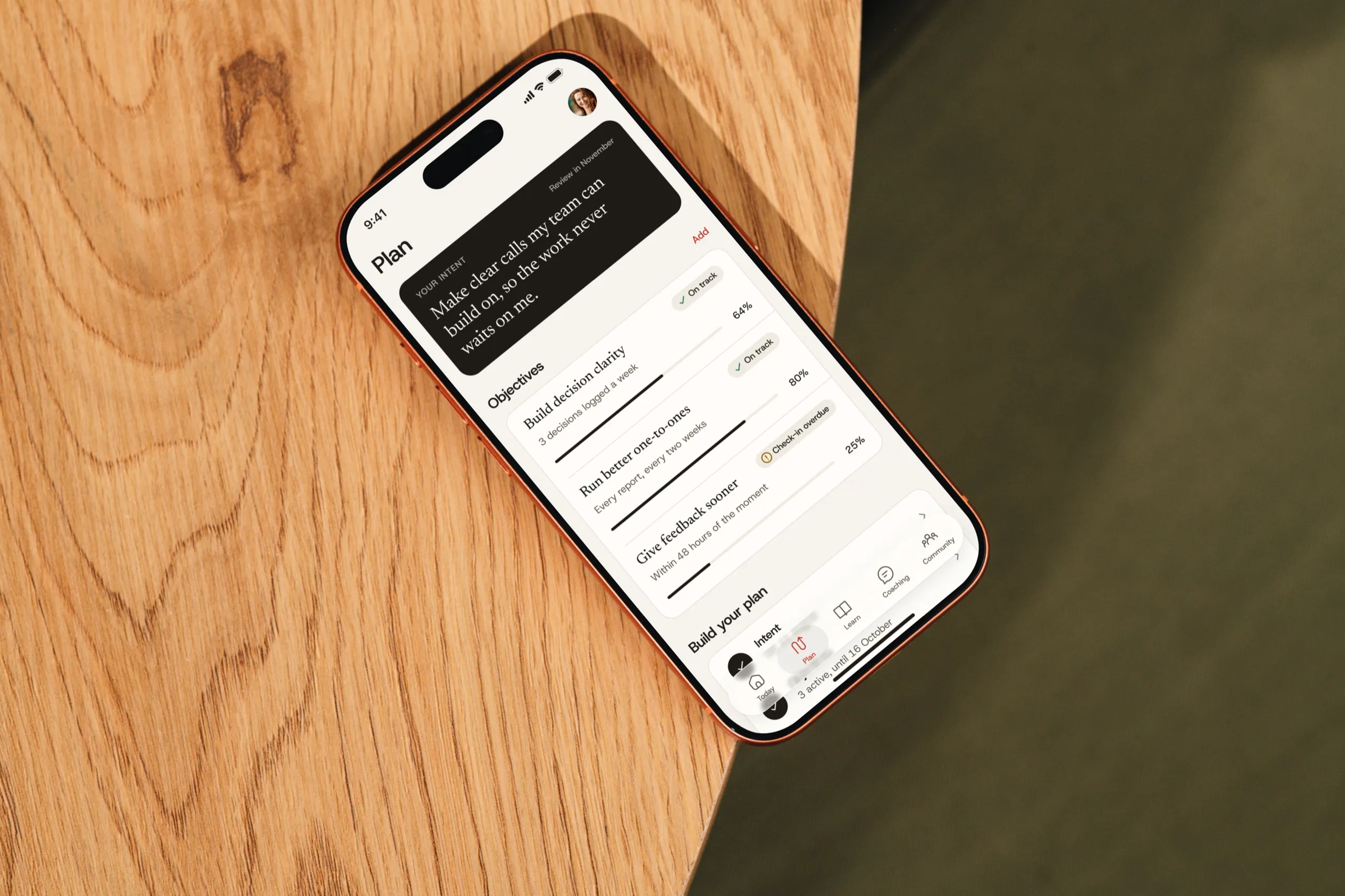
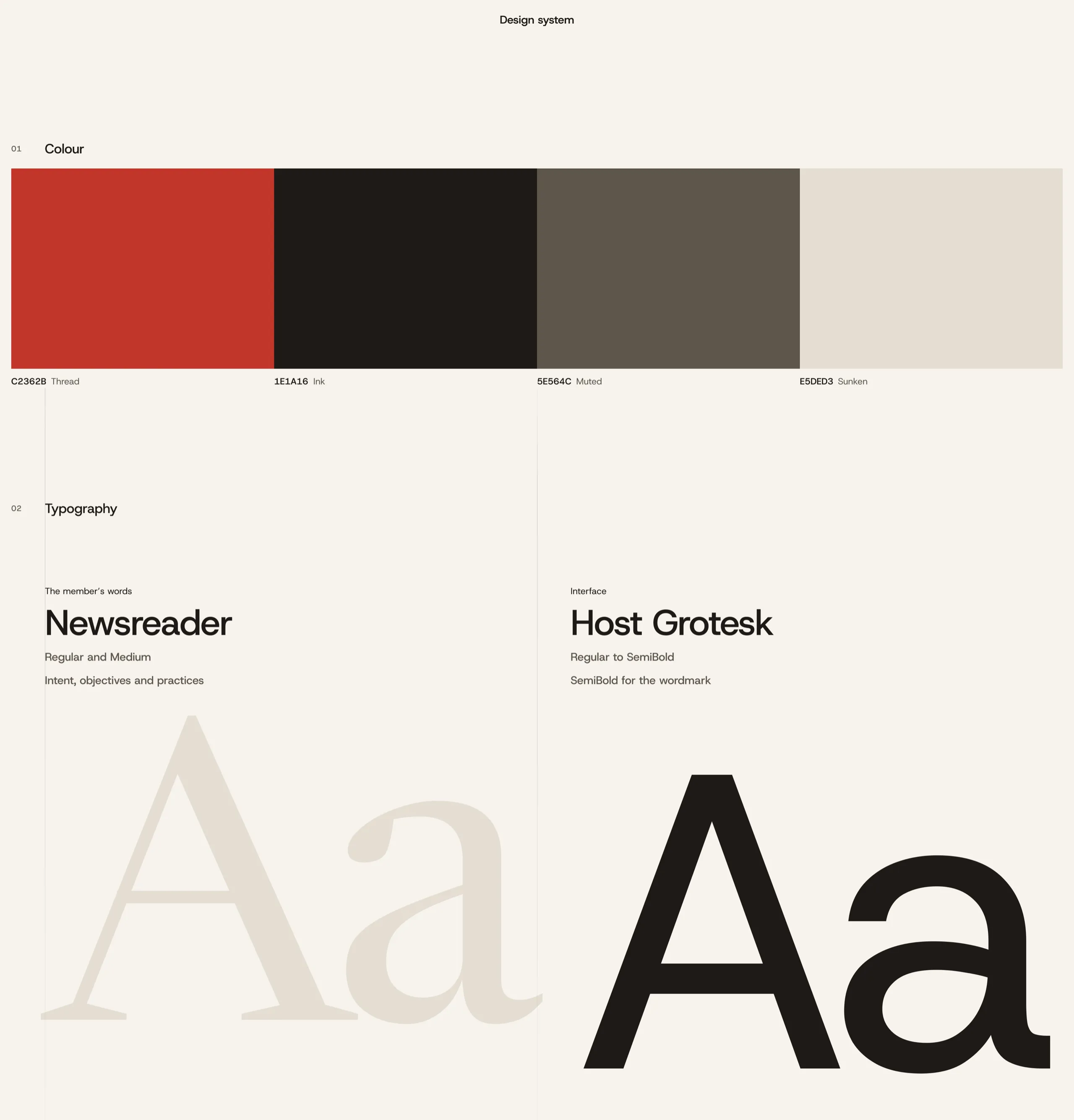
Today opens on the manager’s own intent and the one practice planned for the day, with a single red button to log it. The plan, the coach and the learning all work from the same intent, objectives and measures, and the member’s own words are set in a serif so they always read as theirs.
Design process
-
01
Discovery
Audit of 80 old screens Old navigation mappedThe daily loop defined Copy and content review -
02
Structure
Five-tab navigation One wizard patternAccount in bottom sheets A 64-screen user flow -
03
Design
New mark and wordmark Tokens and componentsSerif for the member voice Liquid glass navigation -
04
Handoff
Documented style guide Flow annotationsContrast checks Licensed photography

Throughline
Turn a leadership intent into five minutes of practice a day.
Throughline is a leadership development app for managers, and I redesigned it end to end, from a new mark and brand to a token-based component library and all 64 screens of the member app. Every flow now leads back to one daily habit, which is to open the app, do the practice you planned and log what changed, so the plan a manager writes stays in daily use.
Leadership plans fade by Monday.
Managers leave a workshop with good intentions and go back to a full calendar, so the plan they wrote gets forgotten. The old app kept that plan behind a floating button and split it across a hub and a coach dashboard, under a dated indigo brand.
One plan, five minutes a day.
Today opens on the manager’s own intent and the one practice planned for the day, with a single red button to log it. The plan, the coach and the learning all work from the same intent, objectives and measures, and the member’s own words are set in a serif so they always read as theirs.
Design process
-
01
Discovery
- Audit of 80 old screens
- Old navigation mapped
- The daily loop defined
- Copy and content review
-
02
Structure
- Five-tab navigation
- One wizard pattern
- Account in bottom sheets
- A 64-screen user flow
-
03
Design
- New mark and wordmark
- Tokens and components
- Serif for the member voice
- Liquid glass navigation
-
04
Handoff
- Documented style guide
- Flow annotations
- Contrast checks
- Licensed photography